

| Made by | Trunk Tools |
|---|---|
| Category | Construction management |
| Best for | Contractors |
| Platforms | Web, iOS, Plug-in |
| Pricing | Enterprise only. One price with unlimited users, quoted on construction volume and number of projects; Growth (early access), Core and Enterprise tiers. |
| Facts last checked | 22 November 2026 |
Visit Trunk Tools (opens in a new tab)Current prices (opens in a new tab)More tools: Construction management
What can Trunk Tools do for AEC teams?
| Task | How it helps, and the check |
|---|---|
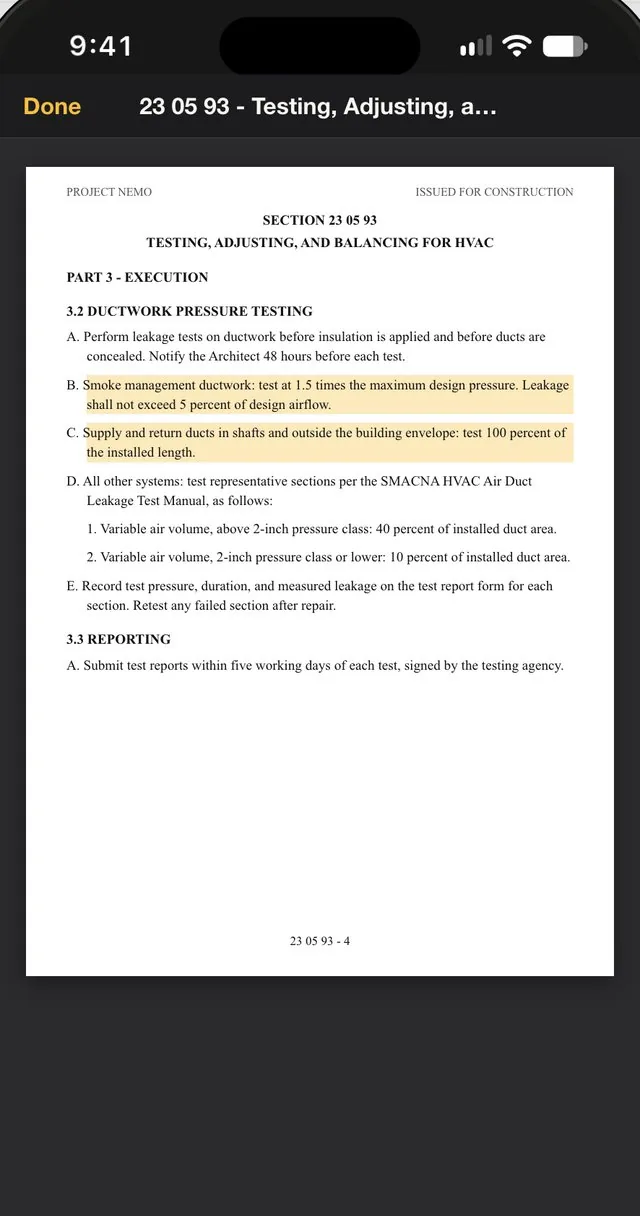
| Project Q&A | TrunkText answers questions from the project documents and shows the sheets and sections it used. The engineer opens the source before acting. |
| Submittal review | Checks submittals against specs and drafts responses. The reviewer makes the decision. |
| Drawing changes | Finds clouded and unclouded changes between drawing revisions. Site teams confirm what changed. |
| RFIs | Drafts RFIs cited to the documents. The project engineer edits and sends them. |
Strengths and limitations
Strengths
- Every answer cites the documents it came from.
- Works from phone (including SMS), web, Microsoft Teams and Outlook.
- Trunk Tools states SOC 2 Type II compliance, and keeps each project's data separate.
Limitations
- Built for US contractors, CSI spec numbering and US-hosted data; nothing is stated about India.
- Quote-only pricing, with an early-access tier for smaller contractors.
- Whether customer documents are used to train its models is not stated on its public pages.
What happens to your data?
- Trunk Tools says drawings, specs and RFIs stay yours, and each project's data is kept separate.
- It says it is built and run in the US, with role-based access and audit logs.
- Sub-processors are listed in its Trust Center; ask for it, and its data processing terms, in writing.
CloudBrain’s view
A focused AI assistant for document-heavy site teams, with the citations a contractor needs to trust an answer. Indian contractors should confirm data residency and fit with their document systems before a pilot.
What is Trunk Tools?
Trunk Tools, founded in 2021, makes AI tools for general contractors built on its Cortex platform: TrunkText for questions, plus tools for submittals, drawing reviews, RFIs, changes and bids.
How do AEC teams use Trunk Tools?
- Site engineers ask questions of the drawings and specs from their phones.
- Project teams review submittals and drawing changes faster.
What should you check before using it on projects?
- Sources. Open the cited document before acting on an answer.
- Data. Get data residency and training terms in writing.
- Fit. Check it works with your document system.
CloudBrain builds similar document assistants through custom AI tools and agents.
Alternatives to Trunk Tools
- Procore AIAI agents inside Procore's construction management platform for submittals, RFIs, daily logs, search and contract review.
- Document CrunchAI contract and project-document review for construction, with every risk flag cited to a clause.
- NotebookLM (Gemini Notebook)Google's AI research assistant that answers questions from the documents you upload, with citations.
Frequently asked questions
What is TrunkText?
- Trunk Tools' Q&A tool: ask a project question and get an answer with the documents it came from.
Does Trunk Tools work with Procore?
- Yes. It says it reads from and writes back to Procore and Autodesk, and connects to SharePoint, Box, Egnyte and Dropbox.
How is Trunk Tools priced?
- One price with unlimited users, quoted on construction volume and number of projects.
Sources (checked 22 November 2026)
- Trunk Tools (opens in a new tab)
- TrunkText (opens in a new tab)
- Trunk Tools platform (opens in a new tab)
- Trunk Tools pricing (opens in a new tab)
- About Trunk Tools (opens in a new tab)
CloudBrain is independent of Trunk Tools and is not paid for this listing. Features and prices change; check the vendor’s website before you buy. All AI tools