
| Client | CloudBrain (in-house product) |
|---|---|
| What we built | Browser-based AI workspace for architects |
| Tools | Floor Plan Studio, Render Studio, Concept Studio, Studio Manager ERP |
| Pricing model | Credit-based |
| Safeguard | AI outputs may be inaccurate; verify before issuing |
| Status | Available at aecoviz.com |
What did we set out to build?
One place where architects can use AI across early design and studio management, instead of juggling separate tools. The product is organised around four studios:
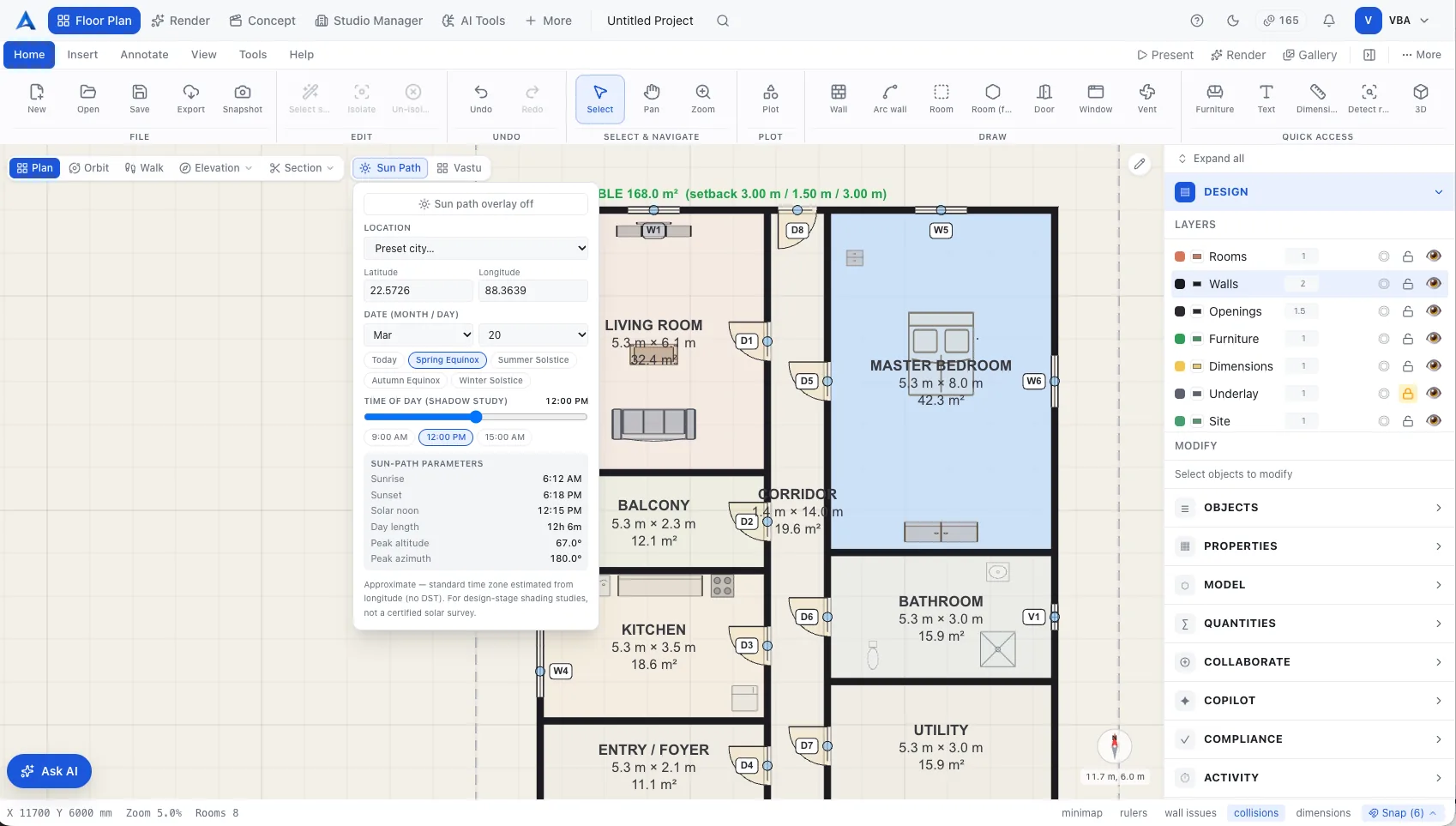
- Floor Plan Studio — brief to editable floor plan; precise 2D/3D wall and room editing; coverage, FAR and egress checks; indicative BOQ.
- Render Studio — chat-style photoreal renders, 3D axonometrics and elevations.
- Concept Studio — exterior and interior concept stills and video walkthroughs from a text brief.
- Studio Manager ERP — team workload, credits and plan usage, and studio finance.
How does aecoviz keep AI output trustworthy?
Every plan stays editable, so the architect is always in control of the result, and aecoviz carries a simple rule: AI outputs may be inaccurate, so verify before issuing. The same principle — a qualified person reviews every output — runs through our approach to client projects.
What does this mean for our clients?
- AI on real architectural tasks — the plan, compliance and BOQ workflows behind our workflow automation service.
- AI visualisation in production — the experience behind our AI visualisation consulting.
- Explore, then model — aecoviz pairs with aecobuild: explore in the cloud with aecoviz, model precisely offline with aecobuild.
Read more on the aecoviz product page.
Frequently asked questions
What can aecoviz's Floor Plan Studio do?
- It turns a brief into an editable floor plan, supports precise 2D and 3D wall and room editing, runs coverage, FAR and egress checks, and produces an indicative BOQ.
How does aecoviz handle the risk of AI mistakes?
- aecoviz states plainly that AI outputs may be inaccurate and must be verified before issue, and its plans stay editable so architects can correct them.
Do we need aecoviz to work with CloudBrain?
- No. Our consulting is product-neutral. aecoviz is one option among the tools we may recommend.